Free AI Image Your free image tools for the AI era.
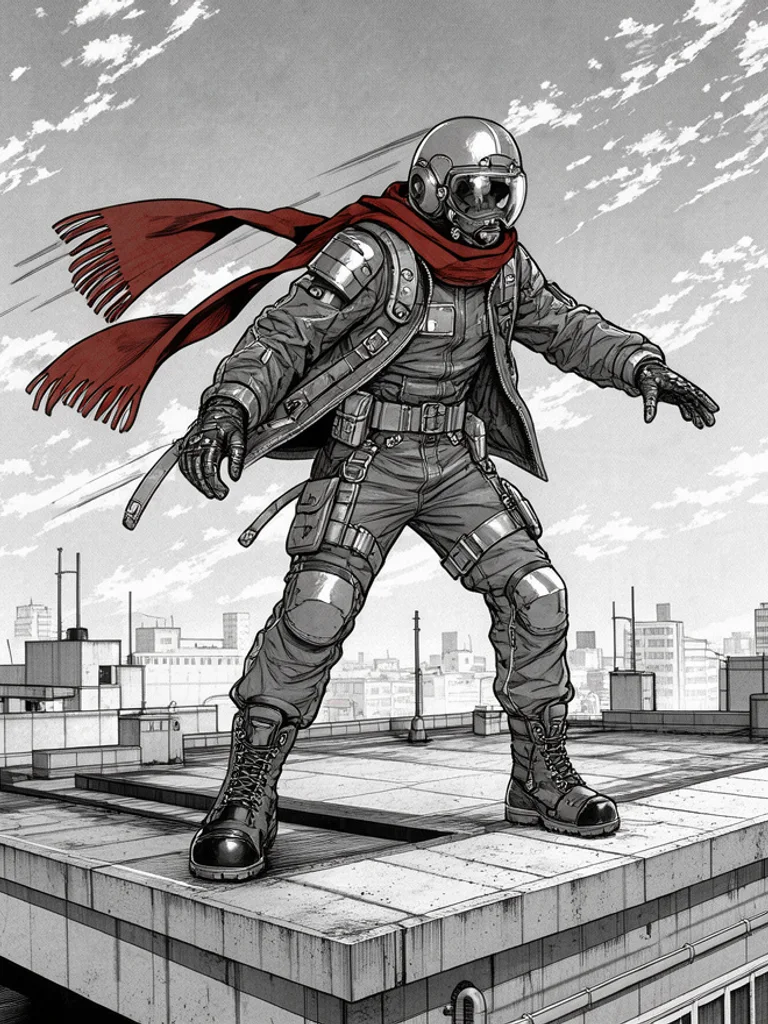
Anime fan art of a silver-haired swordsman in a black coatManga fan art of a pilot with a red scarf on a rooftopDigital fan art of a pink-haired mage holding a star staff

Free AI Fan Art Generator

Anime, manga and digital fan art from text or a photo. Free, no sign-up.

0 / 1,301
Aspect Ratio
Advanced

Available with credits. See pricing

Images per run

Output format

No idea? Try one:

Fan art that looks drawn for a favorite, from one line

Anime

Clean lines, cel color, and a costume you can recognize at a glance. Use it for heroes, school-uniform leads, and the full-color look most fan art uses.

Anime fan art of a silver-haired swordsman in a black coat
“a silver-haired swordsman in a black coat at night”
Anime fan art of a girl with twin tails in a school uniform
“a girl with twin tails in a school uniform”

Images powered by our free model

How the Free AI Fan Art Generator works

Describe a character you like from a show, a game, or a movie, or an original who should look like they belong there. Name the hair, the costume, and the pose, then choose anime, manga, or digital. The Free AI Fan Art Generator adds the line work and the color of that look, and it keeps one character in the frame. A short description then reads as fan art rather than a plain photo with a filter.

You can also start from a photo. Click + or paste one portrait, a cosplay shot, or a sketch, pick a look, and the AI Fan Art Generator follows that face while it redraws the clothes. Change one word, switch from anime to manga, and generate again. Keep the version that matches the character you had in mind for the picture.

A useful prompt is specific about the person and loose about the camera. Say silver hair, a black coat, and a sword at the side, or twin tails and a school uniform. Add night, rain, or a rooftop if the place matters. If the picture is of someone from a series, put that series in the sentence along with the visual details, so the costume is not a guess. If a hand or a weapon looks wrong, change that one phrase and generate once more with the AI Fan Art Generator.

What you download is one ordinary picture, about 1,000 pixels on the long side. It is not a character sheet, a turnaround, or a video. The AI Fan Art Generator will not keep the same face in the next picture. Use the image as the fan art itself, as a profile picture, or as a study before you draw your own version.

Anime fan art of a silver-haired swordsman in a black coat

Why choose us

A few words is enough

Name the hair, the costume, and one pose. The generator supplies the fan-art finish, so a line like a pink-haired mage with a star staff already reads as a character picture. You can name the show, game, or movie in the same sentence if that is the character you want.

Start from your own photo

Add a portrait and the picture follows that face while the clothes and the rendering change. It is a fast way to see yourself, a friend, or a cosplay photo drawn as fan art of the look you describe.

One character, three kinds of fan art

The same swordsman can be full-color anime, printed manga, or a painted digital poster. Anime keeps cel color and clean lines. Manga drops to ink and dot shading. Digital adds cinematic light and a finished key-art surface. Generate them together and keep the one that matches the series in your head.

Free, with no account to create

Generating and downloading cost nothing, there is no sign-up, and the images carry no watermark. Try a few different ideas and keep the one you like without paying or logging in.

What you can make with the Free AI Fan Art Generator

  • Anime fan art of a girl with twin tails in a school uniform

    A character you already love

    Describe hair, costume, and a pose from a show, game, or movie. The AI Fan Art Generator draws that character as one illustration in the look you pick.

  • Digital fan art of a pink-haired mage holding a star staff

    Yourself in that world

    Upload a clear photo and describe the costume. The face stays close to the photo, which is useful for a cosplay idea or an avatar.

  • Manga fan art of a pilot with a red scarf on a rooftop

    One scene, not a whole chapter

    Put the character on a rooftop, in the rain, or in a hall. The AI Fan Art Generator makes that single moment. It does not lay out a page of panels.

  • Anime fan art of a silver-haired swordsman in a black coat

    A profile image

    A centered face and a recognizable costume is enough for an avatar. Crop it after download if the site wants a square.

How to use the Free AI Fan Art Generator

Create your first image in under a minute. No design skills, no sign-up.

  1. STEP 1

    Describe your idea or add a photo

    Write what you want in plain words, the way you would tell a friend. Already have a picture? Click + or paste it with Ctrl+V, and the Free AI Fan Art Generator uses it as a reference.

  2. STEP 2

    Pick a style and generate

    Choose a style and aspect ratio if you like, then press Generate. Your free image is ready in a few seconds, with no account and no watermark.

  3. STEP 3

    Download your image

    Save the result with one click, or generate again with a tweak to the prompt. Downloads come without a watermark.

FAQs about the Free AI Fan Art Generator

What is an AI fan art generator?

An AI fan art generator turns a short description into one picture of a character, drawn in a look such as anime, manga, or digital key art. People use it for characters from shows, games, and movies, and for original characters in those looks.

Is the Free AI Fan Art Generator better than Bylo or AI Ease?

For most people starting out, yes, it is the best place to begin. Free AI Image gives you 3 ready-made styles, lets you start from your own photo or sketch, and hands you a clean download with no watermark and no account. That makes it the best value when you want to try an idea before paying for anything.

Is the Free AI Fan Art Generator really free?

Yes. You can generate and download fan art for free, without signing up and without a watermark. Save the picture from the result, then change the prompt if you want another version.

Can I use more advanced AI models for better fan art?

Yes. After you buy credits on the pricing page, a model menu appears in the generator and you can switch to Pro models such as GPT Image 2 or Nano Banana Pro for finer detail and closer prompt following. Each Pro image uses credits. The free model stays free.

How do I write a good prompt for AI fan art?

Name the hair, the costume, and the pose. Add the show, game, or movie if the character comes from one, plus the place if it matters, such as a rooftop or rain. The AI Fan Art Generator draws one character from that description.

Can I turn my own photo or sketch into fan art?

Yes. Click + or press Ctrl+V to add one PNG, JPG, or WEBP up to 10 MB. The photo steers the face, and the words you add decide the costume and whether the picture is anime, manga, or digital.

What fan art styles can I create?

Anime, Manga, and Digital, or describe another look in the prompt. Anime is full color. Manga is ink and screentone. Digital is painted key art. The AI Fan Art Generator starts on Anime.

Can I make fan art of a character from a show, game, or movie?

Yes. Describe that character: hair, costume, pose, and the series they come from. You get one illustration. The next picture will not automatically keep the same face, so repeat the description if you want another try.

Can I use AI fan art commercially?

Yes. You can use the images commercially under the site terms, and you do not have to add a credit line.

How do I download my fan art?

Use Download under the result. You can generate again or edit the prompt if you want another version. The AI Fan Art Generator saves a normal image, not a character sheet.